Learn to boost/Speed up firefox Browsing speed......
Method....1
Use fire tune for optimize your Firefox For Best Performance...You can download it and use it for free
Method....2
1. Start your Mozilla Firefox and type “about:config” in the address bar and press the “Enter” button.
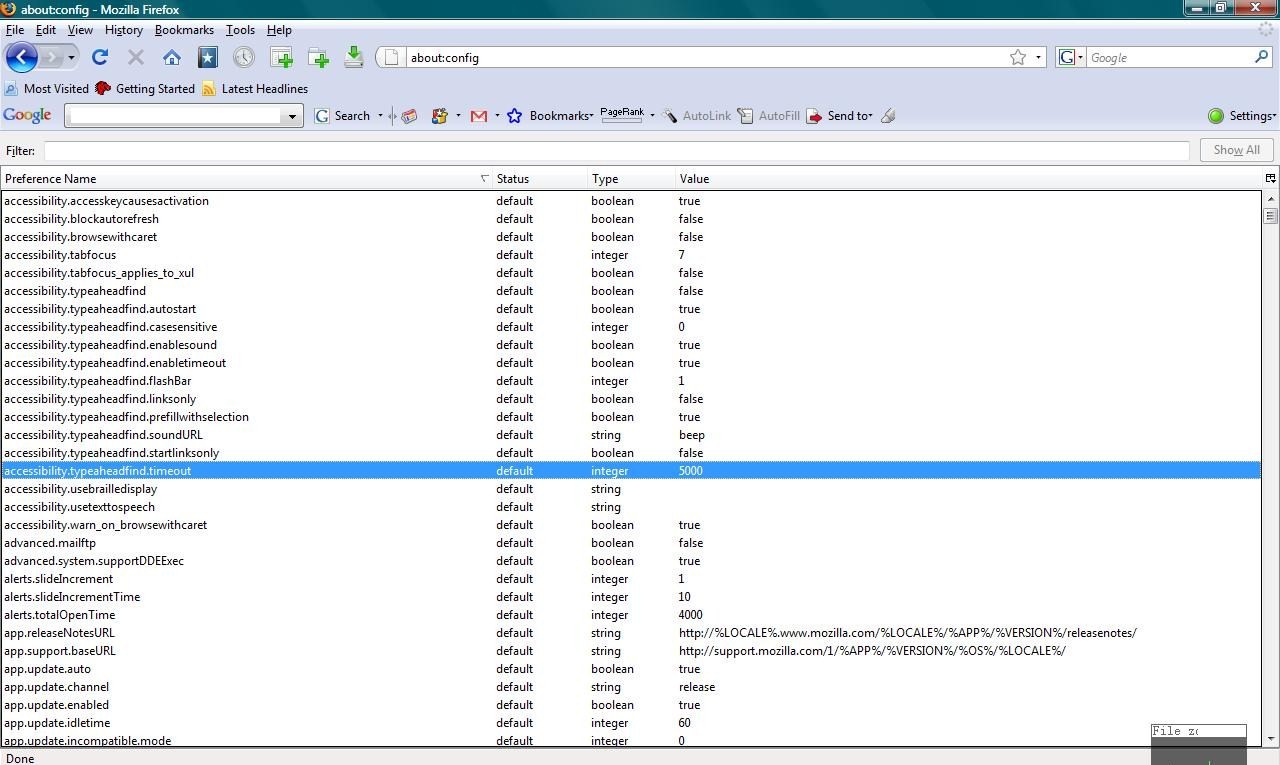
2. Type “network.http.pipe” in the Filter search bar which locate at the top of the Configuration screen.
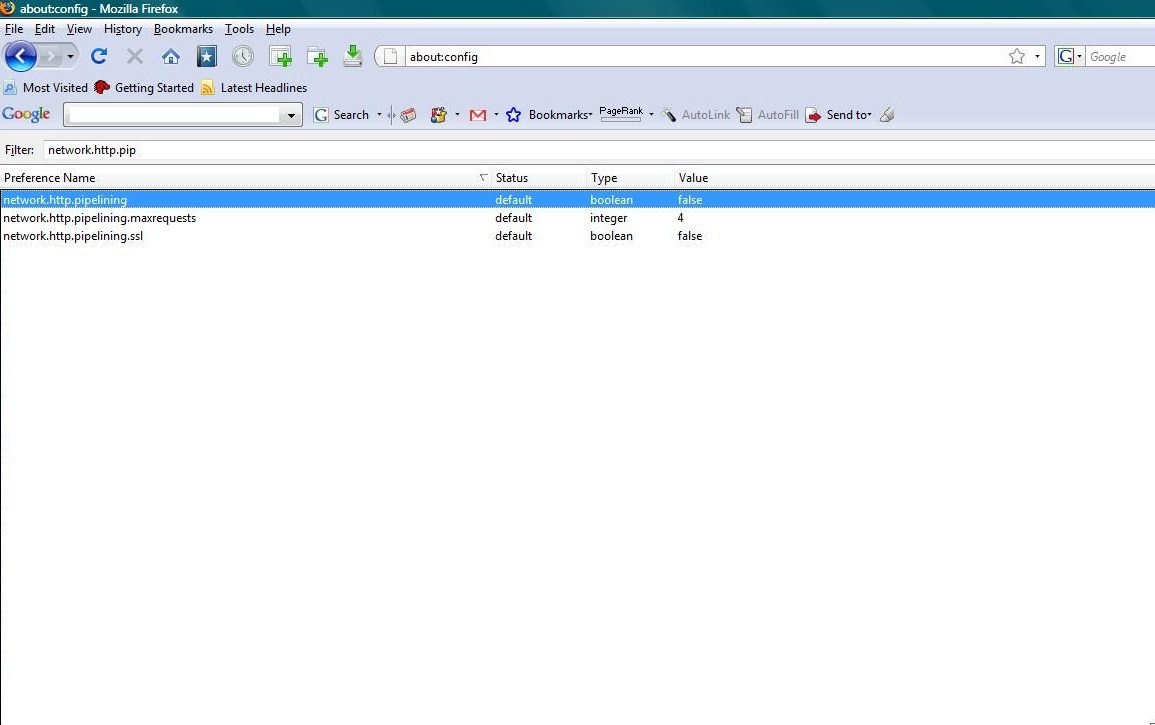
3. Double click on the “network.http.pipelining” string to change its value to true as shown in the figure.
*If you are using a proxy, set the “network.http.proxy.pipelining” to true as well.
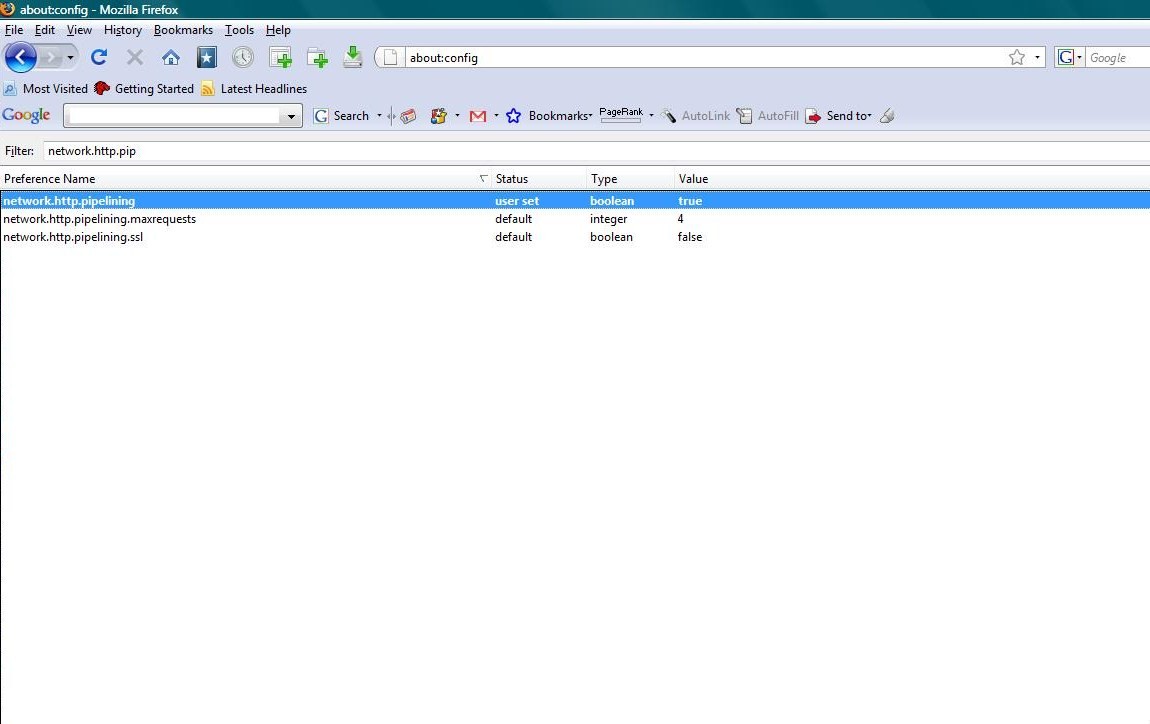
4. After that, double click on the “network.http.pipelining.maxrequests”
string to change its interger value to 35. After changing the value,
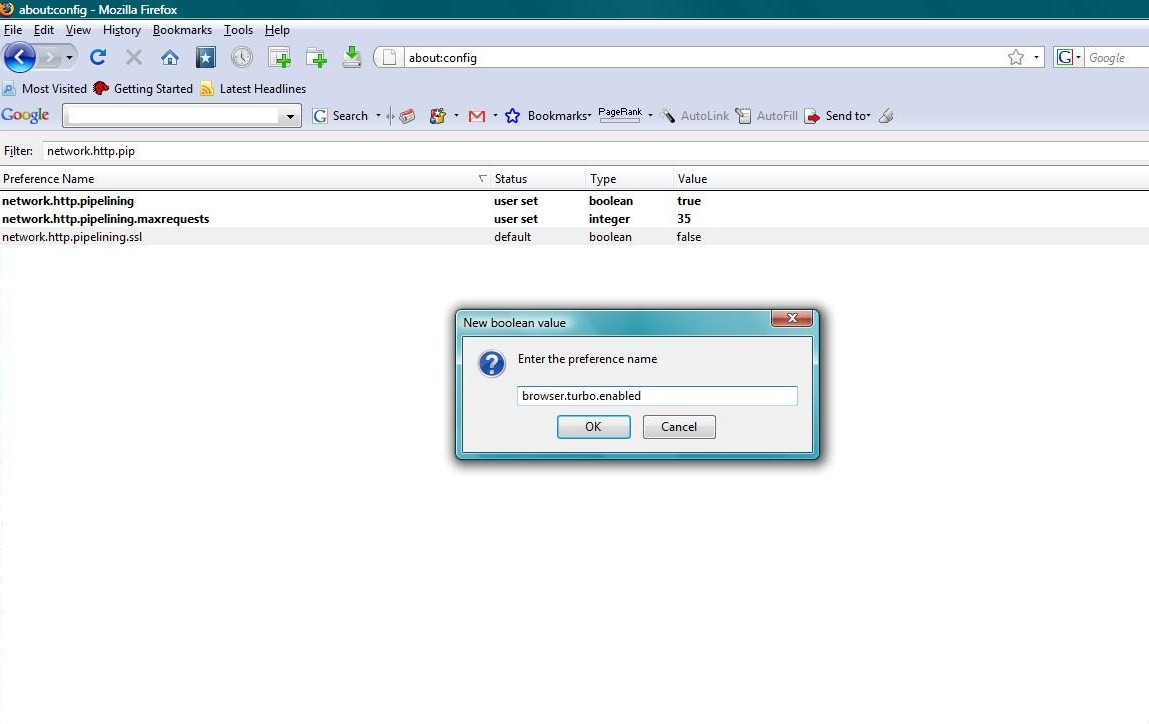
right click anywhere on the Configuration screen and select “New” and then “Boolean”.
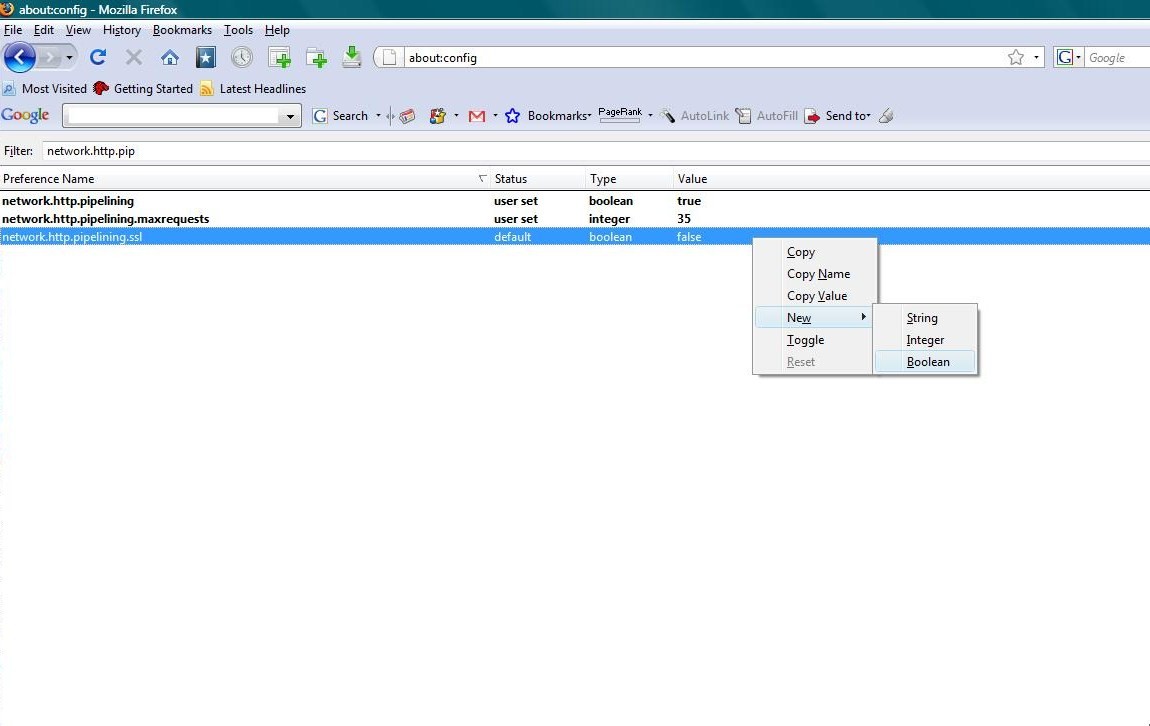
5. Enter “browser.turbo.enabled” as the new Boolean name and click “OK”
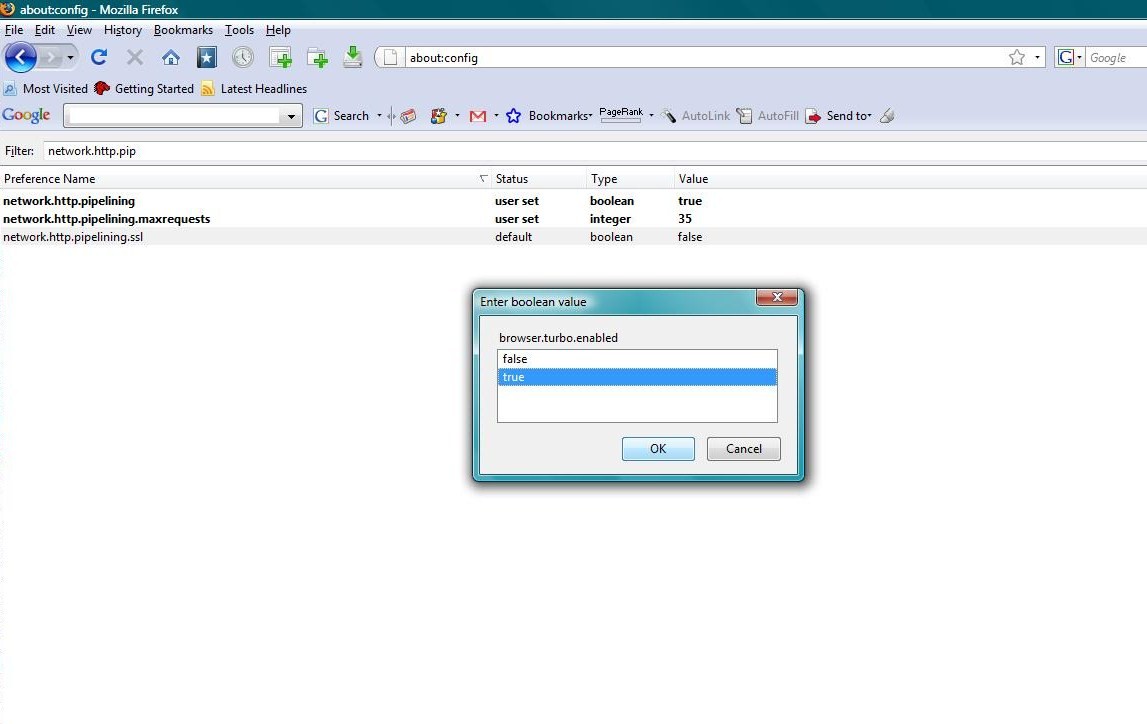
6. Set the value of the Boolean as “true”.
That's it...... Now you can Brows internet faster than before
